Upon renewal of your DD-STAT subscription, we will notify you to update your local product license key.
Please follow the steps below to update your license:
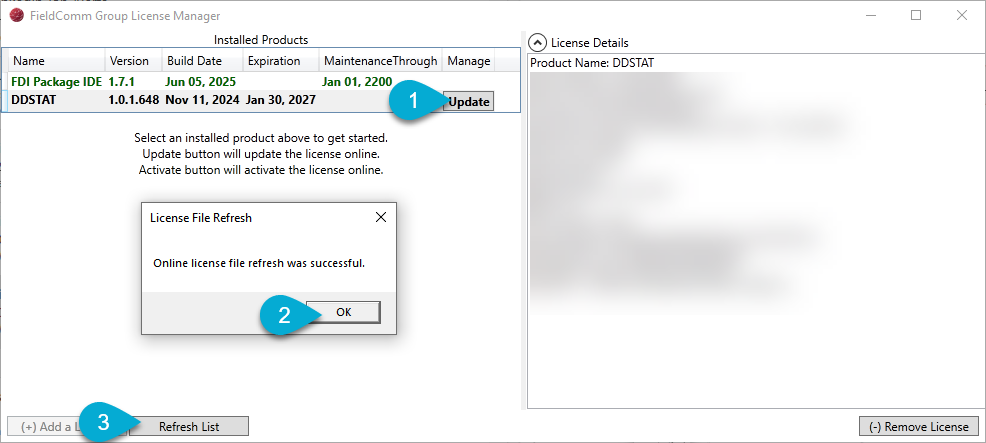
- Open License Manager.
- Do not uninstall/remove the existing license.
- Click the DDSTAT Installed Product, click on the Update button under Manage.
- You should see a dialog: "License File Refresh: Online license file refresh was successful." Click OK.
- Click on Refresh List and the Expiration should be updated in the DD-STAT Installed Product license.
To check if you are running the latest released version of DD-STAT and FDI IDE, please check the Online Documentation.
Was this article helpful?
That’s Great!
Thank you for your feedback
Sorry! We couldn't be helpful
Thank you for your feedback
Feedback sent
We appreciate your effort and will try to fix the article